Showing posts with label bootcamp. Show all posts

Tuesday, March 3, 2020

Full Stack Asp.Net Core App (Bootcamp Project) - Part 4 - The Front-End

This is the continuation of thrid part of the series.


As mentioned, all html, css and javascript is written manually (without frameworks) in the application. The html and css will not be explained here, instead, we will focus to describe in more detail the front-end Javascript (DOM manipulation) from the Notes html page, which is the main area of the whole application.

This html / javascript was learned as a bootcamp, it's not perfect, just an attempt to show the capabilities of JS in the browser, together with AJAX (Fetch API).

I recommend that the following material is reviewed before reading further:
1. https://developer.mozilla.org/en-US/docs/Web/API/Fetch_API/Using_Fetch
2. https://mydev-journey.blogspot.com/2020/02/expense-tracker-from-traversy-media.html
3. https://mydev-journey.blogspot.com/2020/02/full-stack-mini-todo-app-with.html
4. https://mydev-journey.blogspot.com/2020/02/mybooklist-another-traversy-tutorial.html

Link to Github Repo of notes page.

The below will be a succinct description of the existing html/javascript code of the notes page.

a. ) The whole start of the action is bootstrapped at the bottom of the page:

   <script>
        window.onload = () => {
            //initialization of functions and showing the notes
            getNotesForUser(myLoginUser, "Desc","(empty)");
            showColorPicker();
            addClickListeners();         
        }
    </script>
b.) there are two variables in the pagemodel, and these will be taken to the front-end and injected in the javascript code:
- user email - to be displayed at the top of the page:  Welcome @Model.LoginUserEmail!
- user id, which is crucial in the operation of notes:  var myLoginUser = @Model.LoginUserID;

c.) in the top of the page, will be  a form for the filtering and ordering of notes (div id="header")


d.) in the main of the html page, we will have a form id="new-note" that will save the new notes.

The onsubmit function is written below, saves the new notes (plus images, colors).

e.) below the main form we will have the list of notes displayed using getNotesForUser function.
This has a fetch with promise, and in the "then", we retrieve the images for the user. Both on the retrieved notes and images array, the insertNotesList(displayNotesList(notes, imgList))  is called which draws the list of notes and pictures.

f.) displayNote function will take the note with id x, and its pictures, and draws the container for the note, inserting pictures.
Note: if there are multiple pictures (allowed to update), the user is allowed to navigate between them, using clicks on the pictures. To see how it's done, please study getCarousel function.

g.) deleting a note: using the trash sign, we have a click event handler createDeleteNote on it. This will create a popup, and if "yes" is chosen, the removeNote function will delete the note from the Dom and back-end.


h.) editing a note: on the pencil icon of a note, createPopin function is invoked upon click, which will display a small form that will give the possibility to change title, content, delete pictures (all), add picture (only 1), and save the note.

i.) change the color of a note: also in the form (new note) and within each individual note: see getColorPickerHtml function. It will display a list of colors, which will change the background color of selected note, and save the color on the back-end for future use.

j.) pin-unpin: this functionality will pin a note, that means it will be shown first, irrespective of sorting/ordering of notes. The pinning will be done also on the back-end, marking the pinned property of a note also in the database. See function pinNote, and also the back-end API with the route: /api/Notes/pinnote

k.) search function - on key press in the search box, the page will send the query to the back-end using the fetch api in getNotesForUser

            getNotesForUser(myLoginUser, ordering, searchterm);

The web API behind this fetch, is able to sort the result using ordering, and find only those notes which have searchterm in title or content. The default searchterm is (empty) which will do no filtering by keyword.

l.) ordering function - in the header (Desc is default, Asc can be chosen). See above point k).

m.) error message functionality: in case of an error while saving/updating a note, a popup will appear, represented by the function: showErrorMessage.

I know, there are lots of points of improvement on the front-end, that was more or less the content of the bootcamp, and I re-created the project for two purposes: practice my Asp.Net Core Web-Api (as opposed to node.js in bootcamp), and Vanilla Javascript skills. Please feel free to comment or come with your own tutorial.


I might come with a next part of the tutorial, mentioning items that have been left out, or going
in more detail in another less discussed area.


Thursday, February 27, 2020

Full Stack Asp.Net Core App (Bootcamp Project) - Part 3 - The Web API

This is the continuation of the part 2 of this series.


Once again, the repository for the full app can be accessed on Github.

The Notes page will be containing most of the operations of the whole application. The notes are displayed via html/css using plain javascript Dom manipulation, and some back-end code in the Web Api Part. The data stored in database is retrieved via Fetch Api, and displayed in the page.
Then the posting of notes accesses the Web API also using Fetch, so does the update and delete ones.

I strongly recommend reviewing the below recommended tutorials before checking this part.

For Ajax/DOM manipulation
1. https://mydev-journey.blogspot.com/2020/02/mybooklist-another-traversy-tutorial.html
2. https://mydev-journey.blogspot.com/2020/02/expense-tracker-from-traversy-media.html
3. https://mydev-journey.blogspot.com/2020/02/full-stack-mini-todo-app-with.html

For the Web api part:
1. the above three tutorials + https://docs.microsoft.com/en-us/aspnet/core/tutorials/web-api-javascript?view=aspnetcore-3.1
2. https://docs.microsoft.com/en-us/aspnet/core/tutorials/first-web-api?view=aspnetcore-3.1&tabs=visual-studio

So here I will write the code for the Web Apis created using EF CRUD  (scaffolded automatically using the models presented in previous post, and then edited for additions).

The API controllers are in the Controller folders.

Users - it's completely Scaffolded from the Users Model Class, using the context, no additions written manually.

Notes: 

contains the CRUD operations to create, delete, edit notes.
I recognize, maybe more checks and verification could have been done in the action methods, that could be your homework to do.

Notes Controller

namespace SmartNotes.Controllers
{
    [Route("api/[controller]")]
    [ApiController]
    public class NotesController : ControllerBase
    {
        private readonly SmartNotesDBContext _context;

        public NotesController(SmartNotesDBContext context)
        {
            _context = context;
        }

        // GET: api/Notes
        [HttpGet]
        public async Task<ActionResult<IEnumerable<Notes>>> GetNotes()
        {
            return await _context.Notes.ToListAsync();
        }

        // GET: api/Notes/5   
        [HttpGet("{id}")]
        public async Task<ActionResult<Notes>> GetNotes(int id)
        {
            var notes = await _context.Notes.FindAsync(id);

            if (notes == null)
            {
                return NotFound();
            }

            return notes;
        }
// this is a very important Get action method- retrieving list of notes by user, order and searchstring
        [HttpGet("notesbyuser/{userid}/{order}/{searchstring}")]
        public async Task<ActionResult<List<Notes>>> GetNotesByUser(int userid, string order="Desc", string searchstring="")
        {
            var notes = new List<Notes>();
            if (searchstring == "(empty)") searchstring = "";
            searchstring = searchstring.ToLower();         
            if (order=="Desc")
            {
                notes = await _context.Notes.Where(x => x.Userid == userid).OrderBy(x => x.Pinned).ThenByDescending(x=>x.Createdat).ToListAsync();
            }
            else
            {
                notes = await _context.Notes.Where(x => x.Userid == userid).OrderBy(x => x.Pinned).ThenBy(x => x.Createdat).ToListAsync();
            }

            if (notes == null)
            {
                return NotFound();
            }

            return  notes.Where(x=> x.Title.ToLower().Contains(searchstring) || x.NoteText.ToLower().Contains(searchstring)).ToList();
        }

        // PUT: api/Notes/5
        // To protect from overposting attacks, please enable the specific properties you want to bind to, for
        // more details see https://aka.ms/RazorPagesCRUD.
        [HttpPut("{id}")]
        public async Task<IActionResult> PutNotes(int id, Notes notes)
        {
            if (id != notes.Id)
            {
                return BadRequest();
            }

            _context.Entry(notes).State = EntityState.Modified;

            try
            {
                await _context.SaveChangesAsync();
            }
            catch (DbUpdateConcurrencyException)
            {
                if (!NotesExists(id))
                {
                    return NotFound();
                }
                else
                {
                    throw;
                }
            }

            return NoContent();
        }

        // POST: api/Notes
        // To protect from overposting attacks, please enable the specific properties you want to bind to, for
        // more details see https://aka.ms/RazorPagesCRUD.


        [HttpPost]
        public async Task<ActionResult<Notes>> PostNotes(Notes notes)
        {       
                _context.Notes.Add(notes);
                await _context.SaveChangesAsync();
            return CreatedAtAction("PostNotes", new { id = notes.Id }, notes);
        }
// action to pin note 
        [HttpPost("pinnote/{noteid}")]

        public async Task<ActionResult<Notes>> PinNote(int noteid)
        {
            var myNote = await _context.Notes.FindAsync(noteid);
            if (myNote!=null)
            {
                myNote.Pinned = !myNote.Pinned;
                _context.Notes.Update(myNote);
                await _context.SaveChangesAsync();
                return Ok();
            }
            return Ok();
        }
// action to change the color of a note

        [HttpPut("changecolor/{noteid}")]

        public async Task<ActionResult<Notes>> ChangeColor(int noteid, Notes notes)
        {
            var myNote = await _context.Notes.FindAsync(noteid);
            if (myNote != null)
            {
                myNote.Color = notes.Color;
                _context.Notes.Update(myNote);
                await _context.SaveChangesAsync();
                return Ok();
            }
            return Ok();
        }

// a put action to update a note, by id
        [HttpPut("updatenote/{noteid}")]

        public async Task<ActionResult<Notes>> UpdateNote(int noteid, Notes notes)
        {
            var myNote = await _context.Notes.FindAsync(noteid);
            if (myNote != null)
            {
                myNote.Title = notes.Title;
                myNote.NoteText = notes.NoteText;
                _context.Notes.Update(myNote);
                await _context.SaveChangesAsync();
                return Ok();
            }
            return Ok();
        }


        // DELETE: api/Notes/5
// action to delete the note and respective images, by note id
        [HttpDelete("{id}")]
        public async Task<ActionResult<Notes>> DeleteNotes(int id)
        {

            var images = await _context.Images.Where(x => x.Noteid == id).ToListAsync();

            foreach (var img in images)
            {
                var filepath =
                       new PhysicalFileProvider(Path.Combine(Directory.GetCurrentDirectory(), "wwwroot", "Uploads")).Root + $@"\{img.Image}";
                System.IO.File.Delete(filepath);
            }
            if (images!=null) _context.Images.RemoveRange(images);
            var notes = await _context.Notes.FindAsync(id);
            if (notes == null)
            {
                return NotFound();
            }

            _context.Notes.Remove(notes);
            await _context.SaveChangesAsync();

            return Ok();
        }

        private bool NotesExists(int id)
        {
            return _context.Notes.Any(e => e.Id == id);
        }
    }
}

Image Controller - will deal with uploading/deleting images

namespace SmartNotes.Controllers
{
    [Route("api/[controller]")]
    [ApiController]
    public class ImagesController : ControllerBase
    {
        private readonly SmartNotesDBContext _context;

        public ImagesController(SmartNotesDBContext context)
        {
            _context = context;
        }

        // GET: api/Images
        [HttpGet]
        public async Task<ActionResult<IEnumerable<Images>>> GetImages()
        {
            return await _context.Images.ToListAsync();
        }

        // GET: api/Images/5
        [HttpGet("{id}")]
        public async Task<ActionResult<Images>> GetImages(int id)
        {
            var images = await _context.Images.FindAsync(id);

            if (images == null)
            {
                return NotFound();
            }

            return images;
        }
// retrieves all images by note id (to display them in the note)
        [HttpGet("imagesbynote/{noteid}")]

        public async Task<ActionResult<List<Images>>> GetImagesByNote(int noteid)
        {
            var images = await _context.Images.Where(x=> x.Noteid ==noteid).ToListAsync();

            if (images == null)
            {
                return NotFound();
            }

            return images;
        }


// retrieves all images by user id (to display them in the note page)
        [HttpGet("imagesbyuser/{userid}")]

        public async Task<ActionResult<List<Images>>> GetImagesByUser(int userid)
        {
            var images =  await _context.Images.ToListAsync();

                if (images == null)
                {
                    return NotFound();
                }

                return images;
        }


        // PUT: api/Images/5
        // To protect from overposting attacks, please enable the specific properties you want to bind to, for
        // more details see https://aka.ms/RazorPagesCRUD.
        [HttpPut("{id}")]
        public async Task<IActionResult> PutImages(int id, Images images)
        {
            if (id != images.Id)
            {
                return BadRequest();
            }

            _context.Entry(images).State = EntityState.Modified;

            try
            {
                await _context.SaveChangesAsync();
            }
            catch (DbUpdateConcurrencyException)
            {
                if (!ImagesExists(id))
                {
                    return NotFound();
                }
                else
                {
                    throw;
                }
            }

            return NoContent();
        }

        // POST: api/Images
        // To protect from overposting attacks, please enable the specific properties you want to bind to, for
        // more details see https://aka.ms/RazorPagesCRUD.
        //[HttpPost]
        //public async Task<ActionResult<Images>> PostImages(Images images)
        //{
        //    _context.Images.Add(images);
        //    await _context.SaveChangesAsync();

        //    return CreatedAtAction("GetImages", new { id = images.Id }, images);
        //}

   
// uploading one image, and link it to note having noteid
        [HttpPost("uploadimage/{noteid}")]
        public async Task<ActionResult<Images>> PostUpload( int noteid, IFormFile image)
        {

            if (image != null && noteid!=0 && image.Length > 0 && image.Length < 500000)
            {               
                try
                {

                    var fileName = Path.GetFileName(image.FileName);

                    //Assigning Unique Filename (Guid)
                    var myUniqueFileName = Convert.ToString(Guid.NewGuid());

                    //Getting file Extension
                    var fileExtension = Path.GetExtension(fileName);

                    // concatenating  FileName + FileExtension
                    var newFileName = String.Concat(myUniqueFileName, fileExtension);

                    // Combines two strings into a path.
                    var filepath =
                    new PhysicalFileProvider(Path.Combine(Directory.GetCurrentDirectory(), "wwwroot", "Uploads")).Root + $@"\{newFileName}";

                    using (FileStream fs = System.IO.File.Create(filepath))
                    {
                        image.CopyTo(fs);
                        fs.Flush();
                    }

                    var newImage = new Images();
                    newImage.Image = newFileName;
                    newImage.Noteid = noteid;
                    _context.Images.Add(newImage);
                    await _context.SaveChangesAsync();


                }

                catch (Exception ex)
                {                 
                    return StatusCode(500);
                }
                //Getting FileName


                var myImageList = await _context.Images.Where(x => x.Noteid == noteid).ToListAsync();

                return Ok(myImageList);
            }

            return NoContent();
        }

        // DELETE: api/Images/5
        [HttpDelete("{id}")]
        public async Task<ActionResult<Images>> DeleteImages(int id)
        {
            var images = await _context.Images.FindAsync(id);
            if (images == null)
            {
                return NotFound();
            }

            _context.Images.Remove(images);
            await _context.SaveChangesAsync();

            return images;
        }

// delete images by note, when removing a note
        [HttpDelete("deleteimagesbynote/{noteid}")]
        public async Task<ActionResult<Images>> DeleteImagesByNote(int noteid)
        {
            var images = await _context.Images.Where(x=> x.Noteid == noteid).ToListAsync();
            if (images == null)
            {
                return NotFound();
            }

            foreach (var img in images)
            {
                deleteImage(img.Image);
                _context.Images.Remove(img);
            }

            await _context.SaveChangesAsync();

            return Ok();
        }

        private void deleteImage(string imagefile)
        {
            var filepath =           
                new PhysicalFileProvider(Path.Combine(Directory.GetCurrentDirectory(), "wwwroot", "Uploads")).Root + $@"\{imagefile}";
         
            System.IO.File.Delete(filepath);
     
        }

        private bool ImagesExists(int id)
        {
            return _context.Images.Any(e => e.Id == id);
        }
    }
}


Wednesday, February 26, 2020

Full Stack Asp.Net Core App (Bootcamp Project) - Part 2 - The Database and (Razor) Pages

This is the continuation of the material in this link: https://mydev-journey.blogspot.com/2020/02/full-stack-aspnet-core-app-bootcamp.html


Database and entities/models

The main entities of the database will be:
- users: will store the username and their password(not encrypted! bad practice), and their id
- notes: title, content, userid, color
- images: noteid, file name.

Let's have a look at the database script, which defines the relationships.

Using EF Core, the database is scaffolded into a Model folder.

The model classes will look in the following way(as scaffolded by EF Core):

public partial class Users
    {
        public Users()
        {
            Notes = new HashSet<Notes>();
        }

        public int Id { get; set; }
        public string Email { get; set; }
        public string Password { get; set; }

        public virtual ICollection<Notes> Notes { get; set; }
// I will use this to store the confirmed password, not save in the DB
        [NotMapped]
        public string Password2 { get; set; }
    }

public partial class Notes
    {
        public Notes()
        {
            Images = new HashSet<Images>();
        }

        public int Id { get; set; }
        public int Userid { get; set; }
        public string Title { get; set; }
        public string NoteText { get; set; }
        public DateTime Createdat { get; set; }
        public bool Pinned { get; set; }

        public string Color { get; set; }
        public virtual Users User { get; set; }
        public virtual ICollection<Images> Images { get; set; }
    }

    public partial class Images
    {
        public int Id { get; set; }
        public int Noteid { get; set; }
        public string Image { get; set; }
        public virtual Notes Note { get; set; }
    }


For an existing database, it can be scaffolded into a context and models using the following instructions.

The Github Repo of the project is here.

The structure of wwwroot folder:
css: will contain the manually written css files for each served page
images: will contain the images that belong to the html of the pages
js and lib: can be empty.
uploads: will contain the result of the uploads, images that will appear in each note.

The Pages

The pages are served by Asp.Net Core Razor pages, which is the basic project in Asp.Net Core. (version used here is 3.1, LTS).  Each page will have its own css file, present in wwwroot css folder. Their respective html code will be in the cshtml of the Razor Page, only the Notes Page having lots of Javascript included also. I recommend very strongly that you review Razor Pages because they are serving the pages.

The CSS and Html
The Css was written manually (I will not go in detail here) together with the Html, according to a design template. It defines the structure of the files in the view part of the pages below.
Each html file will have its own css. The Layouts will be null in each of the below Razor Pages. You can see the html/css in the Github repo, although this was a part of the bootcamp, I will not go through them.

I will insert more comments here on the blog, than in the Github, to make it more understandable. I will not build the pages step by step, instead just show the comments and explanations regarding the code.

a. Index Page

The PageModel code: - nothing special, here.

The html, you can find on the Github Demo.

b. Signup Page

 public class SignUpModel : PageModel
    {
        private readonly SmartNotesDBContext _context;
        public SignUpModel(SmartNotesDBContext context)
        {
            _context = context;
        }
// below property will contain the user that will be created, linked to the page using binding
        [BindProperty]
        public  Users newUser { get; set; }
// below property will be used to display an error message, linked to the page using binding
        [BindProperty]
        public string errorMessage { get; set; }
// this will display the error message if the user signup did not work well
        public void OnGet(string err)
        {
            errorMessage = err;
        }

        // basic email validation function
        bool IsValidEmail(string email)
        {
            try
            {
                var addr = new System.Net.Mail.MailAddress(email);
                return addr.Address == email;
            }
            catch
            {
                return false;
            }
        }
// checks if any other user has the same email, which have to be unique in the database.
        bool IsExistingEmail(string email)
        {
            return _context.Users.Any(x => x.Email == email);
        }

        // posting the form on the SignUp page, and collecting /saving the user data in the database.
        public async Task<IActionResult> OnPost()
        {
            newUser.Email = newUser.Email.Trim();

            if (!IsValidEmail(newUser.Email))
            {
                errorMessage = "Use a valid email address!";
                return RedirectToPage("./SignUp", new { err  =  errorMessage});
            }

            if (IsExistingEmail(newUser.Email))
            {
                errorMessage = "This Email Address has already been used!";
                return RedirectToPage("./SignUp", new { err = errorMessage });
            }

            if (newUser.Password!=newUser.Password2)
            {
                errorMessage = "The passwords do not match!";
                return RedirectToPage("./SignUp", new { err = errorMessage });
            }

            try
            {
                await _context.Users.AddAsync(newUser);
                await _context.SaveChangesAsync();
            }
            catch (Exception ex)
            { 
                // error message is generated and page redirected
                errorMessage = "Error with signup. Please try again later.";
                return RedirectToPage("./SignUp", new { err = errorMessage });
            }
// when signup was sucessful, user will be redirected to login.
            return RedirectToPage("./Login");
        }

    }

c. Login Page

 public class LoginModel : PageModel
    {

        private readonly SmartNotesDBContext _context;
        public LoginModel(SmartNotesDBContext context)
        {
            _context = context;
        }
// the user who tries to log in
        [BindProperty]
        public Users LoginUser { get; set; }
// the error message which will be shown in the html in case of unsuccesful attempt
        [BindProperty]
        public string errorMessage { get; set; }


        public void OnGet(string err)
        {
            errorMessage = err;
        }
// login, posting the form
        public async Task<IActionResult> OnPost()
        {
            // try to find the user in the table having email and password provided
            var myUser = new Users();
            try
            {
                 myUser = await _context.Users.FirstAsync(x => x.Email == LoginUser.Email && x.Password == LoginUser.Password);

            }
            catch (Exception ex)
            {
                errorMessage = "Invalid User/Password";
                // if no user found, error message shown on page in the form.
                return RedirectToPage("./Login", new { err = errorMessage });
            }
// save the user in the session
            SessionHelper.SetObjectAsJson(HttpContext.Session, "loginuser", myUser);
            // if user found, it's logged in and redirected to notes.
            return RedirectToPage("./Notes");
        }
    }

d. Notes Page

    public class NotesModel : PageModel
    {
// this user id will be used in the html/javascript of the page
        public int LoginUserID { get; set; }
// this email address will be used in the html/javascript of the page
        public string LoginUserEmail { get; set; }

// will take the session value of the logged in user and serve the page. if no user is logged in, will redirect to Login page.
        public async Task<IActionResult> OnGet()
        {
            //check if the user arrived here using the login page, then having the loginuser properly setup
            var loginuser = SessionHelper.GetObjectFromJson<Users>(HttpContext.Session, "loginuser");
            // if no user logged in using login page, redirect to login
            if (loginuser == null)
            {
                return RedirectToPage("./Login");
            }

            //just pickup the user id and email to show it on the page (and use them in the js code), see html code
            LoginUserID = loginuser.Id;
            LoginUserEmail = loginuser.Email;
            return Page();
        }
    }
e. Sign out

 public class LogoutModel : PageModel
    {
        public IActionResult OnGet()
        {
            // logoout page deleting the logged in user and redirecting to main page.
            SessionHelper.SetObjectAsJson(HttpContext.Session, "loginuser", null);
            return RedirectToPage("./Index");
        }
    }

f. Error page
this is mainly a notfound page, written in html/css. Nothing special on the PageModel code.

The Web API back-end of the application will dealt with the CRUD operations, and this will be dealt in the next post.


Saturday, February 22, 2020

Full Stack Asp.Net Core App (Bootcamp Project) - Part 1 - Introduction

In the last weeks I decided to review my Javascript front-end lessons from last year's bootcamp. It was a locally organized intensive course, with the aim of hiring those who finish it.
I worked hard to learn javascript and node.js on that course, graduated the bootcamp, but finally remained with my .net projects for my former employer instead of being hired by the organizer of the bootcamp.

For your info, I described the bootcamp in more detail in this post.

Just to review Vanilla JS once again, I decided to re-do the project, this time with Asp.Net Core Backend instead of Node.JS, just to practice my API skills in Asp.Net Also.

The aim of the project is, to do things manually, without the use of any front-end frameworks:
  • writing the pages in plain html, and all styling in css without bootstrap or other systems
  • all interactions with user will be via plain Javascript
  • the back-end Api-s are Asp.Net Core Web API
  • the pages are served via Asp.Net Core Razor Pages
  • database for back-end MS SQL with EF Core (database-first)
Prerequisites for the application and sources for preparation:
App is live under: https://notes.zoltanhalasz.net/

Full code of the app can be found: https://github.com/zoltanhalasz/SmartNotes.git

The SQL to create the database is: under the Github folder above, file: script.sql

I won't promise that I will lead you through the application step by step, because of its complexity and also it's a study project, nothing perfect in it, but can be a great learning tool for you. :)

What the application does not include:
- no special user management, identity, authorizations, no password hashing, only basic cookie-based user login/authentication
- no special protection for the Web APIs
- no Jquery or JS Framework on the frontend, only basic Vanilla JS, with  Fetch for AJAX
- no dashboard or advanced features, statistics
- it is not a perfect application, from the formatting or design/engineering point of view. It is a sample to learn the above mentioned features.


Description of the project
- Manage notes/(small blog posts) of users - add notes: title, content, add color, add images;
Navigate between notes and images, edit existing notes, search and sort notes.
- Signup of Users - collect email, password and name from user
- Login Users - based on name and password

The application has just a couple of pages, in the following logical order:

Index/Home Page
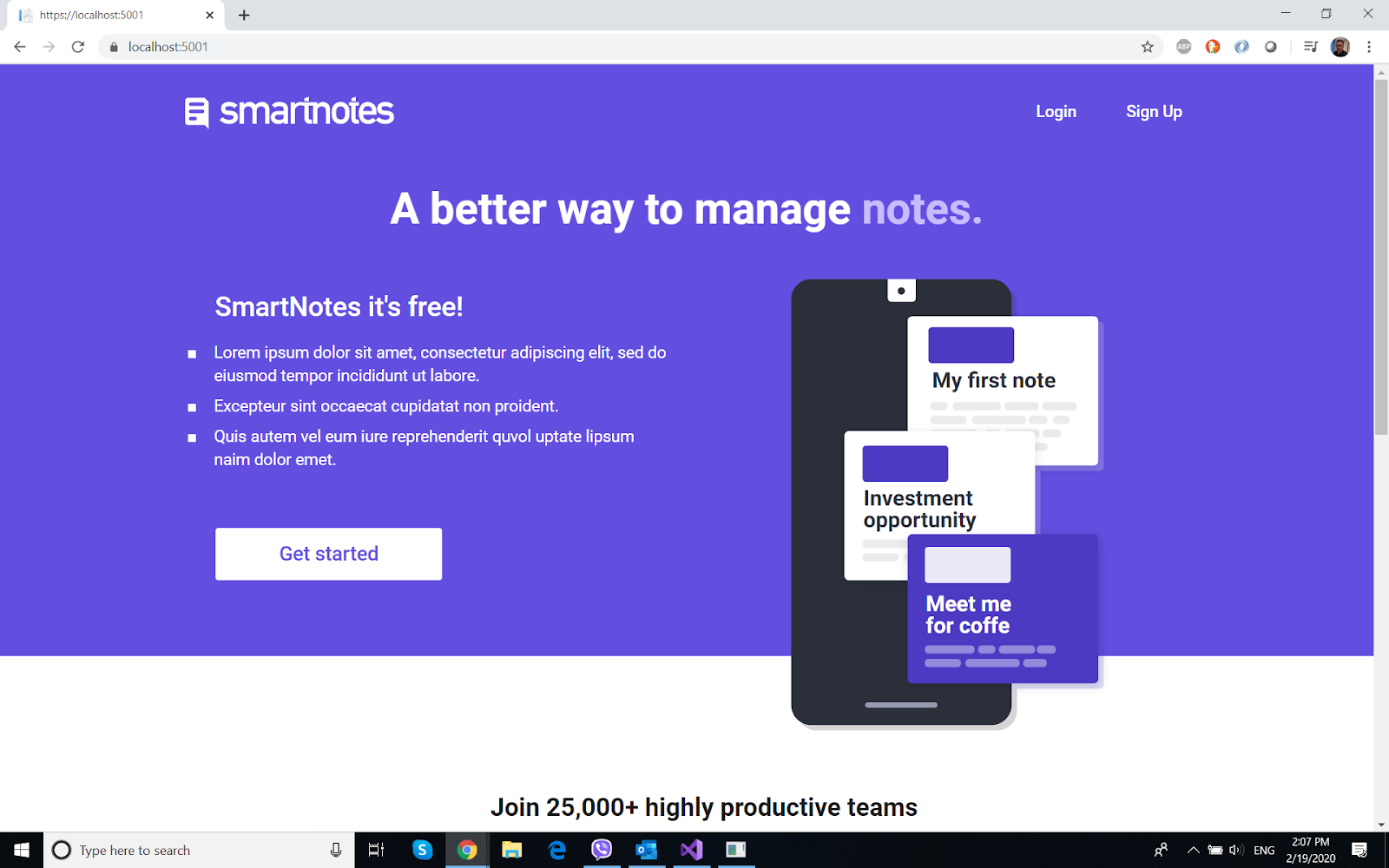
This is the landing page for the application. It's plain html with css written manually, integrated into Razor Pages Index.CsHtml
From this page, users can signup or login.


Signup Page


The design here is also manual, integrated into Razor Pages (no layout). The user can register by filling in basic info.
Login Page


In order to write notes, users must log in, using this page. Very basic design, manually written.
Notes Page


This is the main page of the app, users who are logged in, can create and manage notes. Color can be changed, images can be added and the title/content can be edited for each note. Additionally, searching and ordering the notes is possible.
Error Page