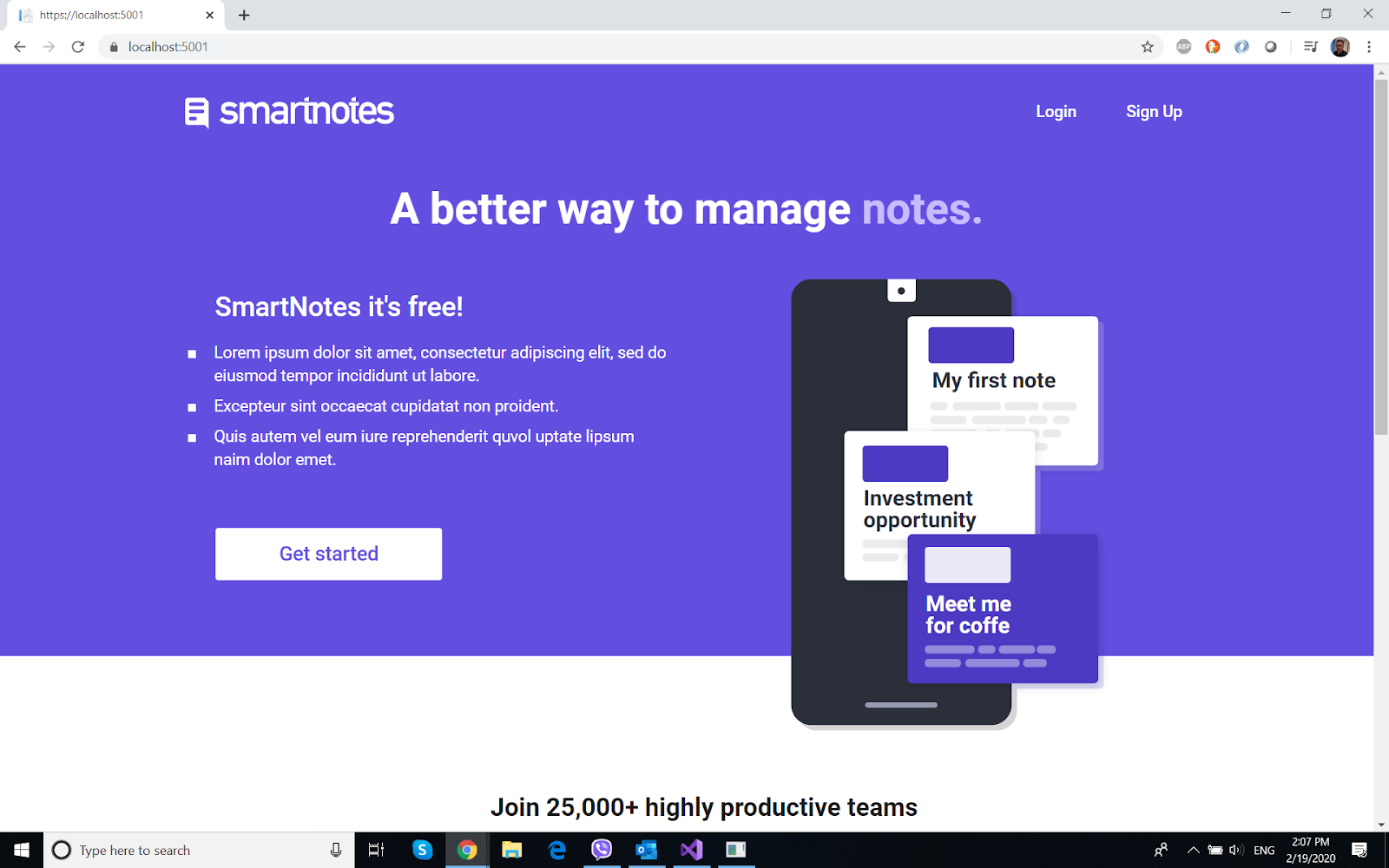
This is the continuation of the part 2 of this series.
Once again, the repository for the full app can be accessed on Github.
The Notes page will be containing most of the operations of the whole application. The notes are displayed via html/css using plain javascript Dom manipulation, and some back-end code in the Web Api Part. The data stored in database is retrieved via Fetch Api, and displayed in the page.
Then the posting of notes accesses the Web API also using Fetch, so does the update and delete ones.
I strongly recommend reviewing the below recommended tutorials before checking this part.
For Ajax/DOM manipulation
1. https://mydev-journey.blogspot.com/2020/02/mybooklist-another-traversy-tutorial.html
2. https://mydev-journey.blogspot.com/2020/02/expense-tracker-from-traversy-media.html
3. https://mydev-journey.blogspot.com/2020/02/full-stack-mini-todo-app-with.html
For the Web api part:
1. the above three tutorials + https://docs.microsoft.com/en-us/aspnet/core/tutorials/web-api-javascript?view=aspnetcore-3.1
2. https://docs.microsoft.com/en-us/aspnet/core/tutorials/first-web-api?view=aspnetcore-3.1&tabs=visual-studio
So here I will write the code for the Web Apis created using EF CRUD (scaffolded automatically using the models presented in previous post, and then edited for additions).
The API controllers are in the Controller folders.
Users - it's completely Scaffolded from the Users Model Class, using the context, no additions written manually.
Notes:
contains the CRUD operations to create, delete, edit notes.
I recognize, maybe more checks and verification could have been done in the action methods, that could be your homework to do.
Notes Controller
namespace SmartNotes.Controllers
{
[Route("api/[controller]")]
[ApiController]
public class NotesController : ControllerBase
{
private readonly SmartNotesDBContext _context;
public NotesController(SmartNotesDBContext context)
{
_context = context;
}
// GET: api/Notes
[HttpGet]
public async Task<ActionResult<IEnumerable<Notes>>> GetNotes()
{
return await _context.Notes.ToListAsync();
}
// GET: api/Notes/5
[HttpGet("{id}")]
public async Task<ActionResult<Notes>> GetNotes(int id)
{
var notes = await _context.Notes.FindAsync(id);
if (notes == null)
{
return NotFound();
}
return notes;
}
// this is a very important Get action method- retrieving list of notes by user, order and searchstring
[HttpGet("notesbyuser/{userid}/{order}/{searchstring}")]
public async Task<ActionResult<List<Notes>>> GetNotesByUser(int userid, string order="Desc", string searchstring="")
{
var notes = new List<Notes>();
if (searchstring == "(empty)") searchstring = "";
searchstring = searchstring.ToLower();
if (order=="Desc")
{
notes = await _context.Notes.Where(x => x.Userid == userid).OrderBy(x => x.Pinned).ThenByDescending(x=>x.Createdat).ToListAsync();
}
else
{
notes = await _context.Notes.Where(x => x.Userid == userid).OrderBy(x => x.Pinned).ThenBy(x => x.Createdat).ToListAsync();
}
if (notes == null)
{
return NotFound();
}
return notes.Where(x=> x.Title.ToLower().Contains(searchstring) || x.NoteText.ToLower().Contains(searchstring)).ToList();
}
// PUT: api/Notes/5
// To protect from overposting attacks, please enable the specific properties you want to bind to, for
// more details see https://aka.ms/RazorPagesCRUD.
[HttpPut("{id}")]
public async Task<IActionResult> PutNotes(int id, Notes notes)
{
if (id != notes.Id)
{
return BadRequest();
}
_context.Entry(notes).State = EntityState.Modified;
try
{
await _context.SaveChangesAsync();
}
catch (DbUpdateConcurrencyException)
{
if (!NotesExists(id))
{
return NotFound();
}
else
{
throw;
}
}
return NoContent();
}
// POST: api/Notes
// To protect from overposting attacks, please enable the specific properties you want to bind to, for
// more details see https://aka.ms/RazorPagesCRUD.
[HttpPost]
public async Task<ActionResult<Notes>> PostNotes(Notes notes)
{
_context.Notes.Add(notes);
await _context.SaveChangesAsync();
return CreatedAtAction("PostNotes", new { id = notes.Id }, notes);
}
// action to pin note
[HttpPost("pinnote/{noteid}")]
public async Task<ActionResult<Notes>> PinNote(int noteid)
{
var myNote = await _context.Notes.FindAsync(noteid);
if (myNote!=null)
{
myNote.Pinned = !myNote.Pinned;
_context.Notes.Update(myNote);
await _context.SaveChangesAsync();
return Ok();
}
return Ok();
}
// action to change the color of a note
[HttpPut("changecolor/{noteid}")]
public async Task<ActionResult<Notes>> ChangeColor(int noteid, Notes notes)
{
var myNote = await _context.Notes.FindAsync(noteid);
if (myNote != null)
{
myNote.Color = notes.Color;
_context.Notes.Update(myNote);
await _context.SaveChangesAsync();
return Ok();
}
return Ok();
}
// a put action to update a note, by id
[HttpPut("updatenote/{noteid}")]
public async Task<ActionResult<Notes>> UpdateNote(int noteid, Notes notes)
{
var myNote = await _context.Notes.FindAsync(noteid);
if (myNote != null)
{
myNote.Title = notes.Title;
myNote.NoteText = notes.NoteText;
_context.Notes.Update(myNote);
await _context.SaveChangesAsync();
return Ok();
}
return Ok();
}
// DELETE: api/Notes/5
// action to delete the note and respective images, by note id
[HttpDelete("{id}")]
public async Task<ActionResult<Notes>> DeleteNotes(int id)
{
var images = await _context.Images.Where(x => x.Noteid == id).ToListAsync();
foreach (var img in images)
{
var filepath =
new PhysicalFileProvider(Path.Combine(Directory.GetCurrentDirectory(), "wwwroot", "Uploads")).Root + $@"\{img.Image}";
System.IO.File.Delete(filepath);
}
if (images!=null) _context.Images.RemoveRange(images);
var notes = await _context.Notes.FindAsync(id);
if (notes == null)
{
return NotFound();
}
_context.Notes.Remove(notes);
await _context.SaveChangesAsync();
return Ok();
}
private bool NotesExists(int id)
{
return _context.Notes.Any(e => e.Id == id);
}
}
}
Image Controller - will deal with uploading/deleting images
namespace SmartNotes.Controllers
{
[Route("api/[controller]")]
[ApiController]
public class ImagesController : ControllerBase
{
private readonly SmartNotesDBContext _context;
public ImagesController(SmartNotesDBContext context)
{
_context = context;
}
// GET: api/Images
[HttpGet]
public async Task<ActionResult<IEnumerable<Images>>> GetImages()
{
return await _context.Images.ToListAsync();
}
// GET: api/Images/5
[HttpGet("{id}")]
public async Task<ActionResult<Images>> GetImages(int id)
{
var images = await _context.Images.FindAsync(id);
if (images == null)
{
return NotFound();
}
return images;
}
// retrieves all images by note id (to display them in the note)
[HttpGet("imagesbynote/{noteid}")]
public async Task<ActionResult<List<Images>>> GetImagesByNote(int noteid)
{
var images = await _context.Images.Where(x=> x.Noteid ==noteid).ToListAsync();
if (images == null)
{
return NotFound();
}
return images;
}
// retrieves all images by user id (to display them in the note page)
[HttpGet("imagesbyuser/{userid}")]
public async Task<ActionResult<List<Images>>> GetImagesByUser(int userid)
{
var images = await _context.Images.ToListAsync();
if (images == null)
{
return NotFound();
}
return images;
}
// PUT: api/Images/5
// To protect from overposting attacks, please enable the specific properties you want to bind to, for
// more details see https://aka.ms/RazorPagesCRUD.
[HttpPut("{id}")]
public async Task<IActionResult> PutImages(int id, Images images)
{
if (id != images.Id)
{
return BadRequest();
}
_context.Entry(images).State = EntityState.Modified;
try
{
await _context.SaveChangesAsync();
}
catch (DbUpdateConcurrencyException)
{
if (!ImagesExists(id))
{
return NotFound();
}
else
{
throw;
}
}
return NoContent();
}
// POST: api/Images
// To protect from overposting attacks, please enable the specific properties you want to bind to, for
// more details see https://aka.ms/RazorPagesCRUD.
//[HttpPost]
//public async Task<ActionResult<Images>> PostImages(Images images)
//{
// _context.Images.Add(images);
// await _context.SaveChangesAsync();
// return CreatedAtAction("GetImages", new { id = images.Id }, images);
//}
// uploading one image, and link it to note having noteid
[HttpPost("uploadimage/{noteid}")]
public async Task<ActionResult<Images>> PostUpload( int noteid, IFormFile image)
{
if (image != null && noteid!=0 && image.Length > 0 && image.Length < 500000)
{
try
{
var fileName = Path.GetFileName(image.FileName);
//Assigning Unique Filename (Guid)
var myUniqueFileName = Convert.ToString(Guid.NewGuid());
//Getting file Extension
var fileExtension = Path.GetExtension(fileName);
// concatenating FileName + FileExtension
var newFileName = String.Concat(myUniqueFileName, fileExtension);
// Combines two strings into a path.
var filepath =
new PhysicalFileProvider(Path.Combine(Directory.GetCurrentDirectory(), "wwwroot", "Uploads")).Root + $@"\{newFileName}";
using (FileStream fs = System.IO.File.Create(filepath))
{
image.CopyTo(fs);
fs.Flush();
}
var newImage = new Images();
newImage.Image = newFileName;
newImage.Noteid = noteid;
_context.Images.Add(newImage);
await _context.SaveChangesAsync();
}
catch (Exception ex)
{
return StatusCode(500);
}
//Getting FileName
var myImageList = await _context.Images.Where(x => x.Noteid == noteid).ToListAsync();
return Ok(myImageList);
}
return NoContent();
}
// DELETE: api/Images/5
[HttpDelete("{id}")]
public async Task<ActionResult<Images>> DeleteImages(int id)
{
var images = await _context.Images.FindAsync(id);
if (images == null)
{
return NotFound();
}
_context.Images.Remove(images);
await _context.SaveChangesAsync();
return images;
}
// delete images by note, when removing a note
[HttpDelete("deleteimagesbynote/{noteid}")]
public async Task<ActionResult<Images>> DeleteImagesByNote(int noteid)
{
var images = await _context.Images.Where(x=> x.Noteid == noteid).ToListAsync();
if (images == null)
{
return NotFound();
}
foreach (var img in images)
{
deleteImage(img.Image);
_context.Images.Remove(img);
}
await _context.SaveChangesAsync();
return Ok();
}
private void deleteImage(string imagefile)
{
var filepath =
new PhysicalFileProvider(Path.Combine(Directory.GetCurrentDirectory(), "wwwroot", "Uploads")).Root + $@"\{imagefile}";
System.IO.File.Delete(filepath);
}
private bool ImagesExists(int id)
{
return _context.Images.Any(e => e.Id == id);
}
}
}
Showing posts with label experience. Show all posts
Thursday, February 27, 2020
Saturday, February 22, 2020
Full Stack Asp.Net Core App (Bootcamp Project) - Part 1 - Introduction
In the last weeks I decided to review my Javascript front-end lessons from last year's bootcamp. It was a locally organized intensive course, with the aim of hiring those who finish it.
I worked hard to learn javascript and node.js on that course, graduated the bootcamp, but finally remained with my .net projects for my former employer instead of being hired by the organizer of the bootcamp.
For your info, I described the bootcamp in more detail in this post.
Just to review Vanilla JS once again, I decided to re-do the project, this time with Asp.Net Core Backend instead of Node.JS, just to practice my API skills in Asp.Net Also.
The aim of the project is, to do things manually, without the use of any front-end frameworks:
Full code of the app can be found: https://github.com/zoltanhalasz/SmartNotes.git
The SQL to create the database is: under the Github folder above, file: script.sql
I won't promise that I will lead you through the application step by step, because of its complexity and also it's a study project, nothing perfect in it, but can be a great learning tool for you. :)
What the application does not include:
- no special user management, identity, authorizations, no password hashing, only basic cookie-based user login/authentication
- no special protection for the Web APIs
- no Jquery or JS Framework on the frontend, only basic Vanilla JS, with Fetch for AJAX
- no dashboard or advanced features, statistics
- it is not a perfect application, from the formatting or design/engineering point of view. It is a sample to learn the above mentioned features.
Description of the project
- Manage notes/(small blog posts) of users - add notes: title, content, add color, add images;
Navigate between notes and images, edit existing notes, search and sort notes.
- Signup of Users - collect email, password and name from user
- Login Users - based on name and password
The application has just a couple of pages, in the following logical order:
Index/Home Page
Signup Page
The design here is also manual, integrated into Razor Pages (no layout). The user can register by filling in basic info.
Login Page
In order to write notes, users must log in, using this page. Very basic design, manually written.
Notes Page
This is the main page of the app, users who are logged in, can create and manage notes. Color can be changed, images can be added and the title/content can be edited for each note. Additionally, searching and ordering the notes is possible.
Error Page
I worked hard to learn javascript and node.js on that course, graduated the bootcamp, but finally remained with my .net projects for my former employer instead of being hired by the organizer of the bootcamp.
For your info, I described the bootcamp in more detail in this post.
Just to review Vanilla JS once again, I decided to re-do the project, this time with Asp.Net Core Backend instead of Node.JS, just to practice my API skills in Asp.Net Also.
The aim of the project is, to do things manually, without the use of any front-end frameworks:
- writing the pages in plain html, and all styling in css without bootstrap or other systems
- all interactions with user will be via plain Javascript
- the back-end Api-s are Asp.Net Core Web API
- the pages are served via Asp.Net Core Razor Pages
- database for back-end MS SQL with EF Core (database-first)
- basic EF Core and MS SQL with database first approach: https://www.entityframeworktutorial.net/efcore/create-model-for-existing-database-in-ef-core.aspx
- basic Razor Pages for Asp.Net Core 3.1 / https://mydev-journey.blogspot.com/2019/11/razor-pages-not-for-shaving.html
- Web API For Asp.Net Core
- upper-intermediate Javascript on DOM (as preparation pls check this one: https://mydev-journey.blogspot.com/2020/02/full-stack-mini-todo-app-with.html)
- intermediate Css and Html
Full code of the app can be found: https://github.com/zoltanhalasz/SmartNotes.git
The SQL to create the database is: under the Github folder above, file: script.sql
I won't promise that I will lead you through the application step by step, because of its complexity and also it's a study project, nothing perfect in it, but can be a great learning tool for you. :)
What the application does not include:
- no special user management, identity, authorizations, no password hashing, only basic cookie-based user login/authentication
- no special protection for the Web APIs
- no Jquery or JS Framework on the frontend, only basic Vanilla JS, with Fetch for AJAX
- no dashboard or advanced features, statistics
- it is not a perfect application, from the formatting or design/engineering point of view. It is a sample to learn the above mentioned features.
Description of the project
- Manage notes/(small blog posts) of users - add notes: title, content, add color, add images;
Navigate between notes and images, edit existing notes, search and sort notes.
- Signup of Users - collect email, password and name from user
- Login Users - based on name and password
The application has just a couple of pages, in the following logical order:
Index/Home Page
This is the landing page for the application. It's plain html with css written manually, integrated into Razor Pages Index.CsHtml
From this page, users can signup or login.
Signup Page
The design here is also manual, integrated into Razor Pages (no layout). The user can register by filling in basic info.
Login Page
In order to write notes, users must log in, using this page. Very basic design, manually written.
Notes Page
This is the main page of the app, users who are logged in, can create and manage notes. Color can be changed, images can be added and the title/content can be edited for each note. Additionally, searching and ordering the notes is possible.
Error Page
Labels:
asp.net core,
bootcamp,
css,
dom,
experience,
javascript,
Razor,
Tutorial
Monday, January 6, 2020
Reviewing Three Asp.Net Core Tutorials
In my process of learning, in parallel to my C# projects, I am going forward with Asp.Net core, researching current practice and future trends. I came across three interesting tutorials, that combine these.
I try to be less elaborate with the review, just not to confuse the reader with too many details. Try all tutorials, and provide your feedback about them! I am a fan of learning from multiple sources, gradually, increasing complexity and depth step by step.
A. https://codinginfinite.com/creating-admin-panel-asp-net-core-mvc-tutorial/#choosing-template
This one, is aiming to build a nice admin LTE background, and use several practical HTML/JS tips.
The part I liked in this tutorial:
1. uses MySQL instead of MS SQL, with EF Core
2. Introduces Logging
3. Uses admin lte template, with all css/js dependencies, and uses also a custom login page
4. provides code repo on GitHub.
5. I see this tutorial as the most impactful to my activities, due to the business-like layout and approach.
What I didn't like about this tutorial:
1. Towards the end of it, it becomes superficial in explanation, hard to follow and understand
2. When I started to host the published version - somehow the admin lte is not working, and displays a mess.
3. The Role-Based Authorization part - I am not able understand this, something more detailed and systematic is needed, with better, step-by step explanations.
B.https://www.jerriepelser.com/tutorials/airport-explorer/
This aims combining Asp.Net Core Razor pages with lots of javascript APIs from the internet, especially those focused on maps and geolocation. I find this tutorial very high quality and easy to follow.
The pros of this tutorial:
1. Combines lots of internet APIs together with Asp.Net Core/Razor
2. Easy to follow despite its complexity
3. Very high quality explanations and step-by-step approach;
4. Provides GitHub Repo with code.
Some of the hardships:
1. Some complexity especially on the Javascript part;
2. The libraries and .net core version seem to be old;
C. https://youtu.be/8DNgdphLvag
This is Tim Corey's next tutorial, an easy introduction to Blazor Server Side. This is some very new technology and his explanations are easy to follow and shared lots of best practices.
The pros:
1. Latest technology;
2. Very easy to follow, excellent explanation;
3. Shares some nice best practices with organizing the code and database access;
4. Code provided.
The cons:
1. The example seems to be very simplistic, I would like to see a more complex application presented.(maybe a next version for him)
2. The technology presented is still not widespread. Waiting to see how Blazor proves to be in 2020 and later. Clearly Blazor Server Side is more stable, but Client side is not yet production ready.
What kind of similar tutorials would you recommend? I am especially interested in the combination of html/js/css with Razor pages (not Blazor, yet) with a focus for business applications.
Sunday, December 29, 2019
2019 - The Year of .Net (Core) and Javascript. My New Directions for 2020
My real developer journey began in March 2019, when I decided to go full time developing my business applications. Before, I was doing this in parallel with my management accountant job, which was very exhausting at times.
The transition had lots of lessons, and it's described in my posts here on this blog and also on dev.to, https://dev.to/zoltanhalasz
But as a conclusion for 2019, some big trends can be seen in my work and learning, and these are the two main directions:
The Microsoft .Net Framework
Being the first choice for accounting applications, as the users all operate in Windows environments, I think this was a good decision. In fact, my then partner suggested the C#/WPF/MVVM track with MS SQL database.
Later during fall of 2019, I extended this with Asp.Net Core, as you can see in my posts, and that's the direction I want to follow in 2020.
Why I chose the asp.net core world? Reasons:
- integrates well with my existing MS SQL databases;
- can publish the web apps quickly to Azure or other provider via Visual Studio;
- I really like the .Net Core Razor pages approach, and they are suitable for the apps I plan for 2020;
- they integrate well with html/css/javascript, without the need to use a SPA; I am currently checking an admin template, and this tutorial was a real nice example to push me towards this direction: https://codinginfinite.com/creating-admin-panel-asp-net-core-mvc-tutorial/#choosing-template
- they integrate well with MS Excel, which is a primary tool for my business users, all based on Windows machines;
- I plan moving to Linux hosting for my asp.net core apps, which tends to be cheaper than Windows hosting. This dev.to post was a really strong motivation to move in this direction: https://dev.to/pluralsight/build-and-deploy-a-blazor-app-without-touching-a-windows-machine-4mn
Some new directions for 2020 to experiment:
- the Blazor framework, especially server-side, than later client-side.
The Web Programming Track with JS
As I mentioned in my blog posts, the web with Javascript was a real discovery for me in 2019. I really like the flexibility of JS and its huge impact on the front-end (plain JS, JQuery or SPA), which I try to implement in my projects, to make user experience better, and simulate a real business tool environment with grids, menus, pivot tables, charts and excel exports/imports.
Ways to improve my JS skills and integrate them to my tools
- find new JQuery plugins for a great business tool feel;
- maybe go deeper with SPA such as Angular (my journey began with this framework);
- researching tools/frameworks/libraries for reporting/charting/grids;
Not to forget, the topic of database persistence, it will probably remain the MS SQL world, using Dapper ORM and EF Core, maybe with some experimenting with My SQL/ Mongo DB.
Another idea worth mentioning for 2020, will be a try of serverless functions from Azure.
And lastly to mention, if and when I have time, will be the Angular/Material design/Firebase world, which I really liked during my experimenting in the first half of 2019.
What do you think, would you add something different for my business app stack?
Labels:
.net Core,
2020,
angular,
directions,
experience,
javascript
Monday, December 16, 2019
Deploy/Host a .Net Core App on a Low Cost Provider (InterServer)
As I am progressing in my journey with .Net Core (Razor Pages), I wanted to showcase my apps and gain some experience with hosting/deployment. But which place to choose? I came across many cheap solutions, out of which I chose https://www.interserver.net/
It's important to note that I want to avoid Azure for this purpose, as it is more costly and I use it only for my job related project to host databases. Of course, I tried the free tier app hosting and deployment, but anyway I need to try a more serious cheap solution, that has way more apps/databases with a lower cost. That's how I came across the above mentioned ASP hosting provider.
Just as a quick note, a list of comparable cheap hosts is presented in this article: https://dottutorials.net/best-fast-cheap-windows-hosting-asp-net-core/
I purchased the 5 USD/month tier, which contains, most importantly:
- 25 sites
- unlimited databases (MYSQL, MS SQL)
- unlimited storage.
Let's log in to their site, after paying the amount, and use Plesk to manage my sites.
After entering PLESK, let's see how we can deploy our asp.net core web app!
The following screen appears.

1. you can add subdomains. I added test3.zoltanhalasz.net (my domain being zoltanhalasz.net)
2. In a subdomain or web site, there will be a dashboard with many functionalities.
3. Download the file from web deploy publishing settings.
4. Go to Visual Studio.
5. Select the Web project (such as Razor pages), hit publish, we will choose web deploy

6. Hit new
7. Import profile - here use the file downloaded at 3)
8. Use the settings from the screenshots below:


Hit Save, and then Publish.
After some minutes, the site should be opening in your browser.
The files (package) deployed will be visible under the File Manager, found in the Plesk dashboard.
How to add a database?
I created a DB, MS SQL Type. It is immediately visible from your local MS SQL Studio, and in 12-24 hours, also from your myLittleAdmin (dashboard app from PLESK).
Any database can be added to an app's connection string (the local ones from Plesk, or even from Azure) and the applications will work.
It's important to note that I want to avoid Azure for this purpose, as it is more costly and I use it only for my job related project to host databases. Of course, I tried the free tier app hosting and deployment, but anyway I need to try a more serious cheap solution, that has way more apps/databases with a lower cost. That's how I came across the above mentioned ASP hosting provider.
Just as a quick note, a list of comparable cheap hosts is presented in this article: https://dottutorials.net/best-fast-cheap-windows-hosting-asp-net-core/
I purchased the 5 USD/month tier, which contains, most importantly:
- 25 sites
- unlimited databases (MYSQL, MS SQL)
- unlimited storage.
Let's log in to their site, after paying the amount, and use Plesk to manage my sites.
After entering PLESK, let's see how we can deploy our asp.net core web app!
The following screen appears.

2. In a subdomain or web site, there will be a dashboard with many functionalities.
3. Download the file from web deploy publishing settings.
4. Go to Visual Studio.
5. Select the Web project (such as Razor pages), hit publish, we will choose web deploy

6. Hit new
7. Import profile - here use the file downloaded at 3)
8. Use the settings from the screenshots below:


Hit Save, and then Publish.
After some minutes, the site should be opening in your browser.
The files (package) deployed will be visible under the File Manager, found in the Plesk dashboard.
How to add a database?
I created a DB, MS SQL Type. It is immediately visible from your local MS SQL Studio, and in 12-24 hours, also from your myLittleAdmin (dashboard app from PLESK).
Any database can be added to an app's connection string (the local ones from Plesk, or even from Azure) and the applications will work.
Friday, November 29, 2019
The Tutorials With Most Impact in 2019
After relating about tutorial hell in my previous posts, I wanted to present a short list with the most important tutorials of 2019, that impacted my developer life significantly. In total, I might have done maybe a hundred tutorials in this transition year, but some of them were so far - reaching, that they are the backbone of my current projects.
1. introduction to Dapper ORM: https://www.youtube.com/watch?v=Et2khGnrIqc
additional materials were:
Advanced Dapper: https://www.youtube.com/watch?v=eKkh5Xm0OlU&t=3s
Stored Procedures: https://www.youtube.com/watch?v=Sggdhot-MoM
LINQ: https://www.youtube.com/watch?v=yClSNQdVD7g
2. Asp.Net Core - the basics
a. general introduction with MVC: https://code-maze.com/asp-net-core-mvc-series/
b. Entity Framework Core: https://code-maze.com/entity-framework-core-series/
c. Microsoft Razor Pages Tutorial: https://docs.microsoft.com/en-us/aspnet/core/razor-pages/?view=aspnetcore-2.2&tabs=visual-studio
d. A bit more advanced tutorial for Razor Pages: https://www.learnrazorpages.com/razor-pages/tutorial/bakery
3. Angular/Material Design/Firebase
https://angular-templates.io/tutorials/about/angular-crud-with-firebase
My applications in 2019 are very much dependent on the ideas and technologies mentioned in these tutorials. Of course, I studied additional techniques and ideas to fulfill my work, but these were the most interesting and impactful ones for me in 2019.
What are your main tutorials for 2019 or recent years?
1. introduction to Dapper ORM: https://www.youtube.com/watch?v=Et2khGnrIqc
additional materials were:
Advanced Dapper: https://www.youtube.com/watch?v=eKkh5Xm0OlU&t=3s
Stored Procedures: https://www.youtube.com/watch?v=Sggdhot-MoM
LINQ: https://www.youtube.com/watch?v=yClSNQdVD7g
2. Asp.Net Core - the basics
a. general introduction with MVC: https://code-maze.com/asp-net-core-mvc-series/
b. Entity Framework Core: https://code-maze.com/entity-framework-core-series/
c. Microsoft Razor Pages Tutorial: https://docs.microsoft.com/en-us/aspnet/core/razor-pages/?view=aspnetcore-2.2&tabs=visual-studio
d. A bit more advanced tutorial for Razor Pages: https://www.learnrazorpages.com/razor-pages/tutorial/bakery
3. Angular/Material Design/Firebase
https://angular-templates.io/tutorials/about/angular-crud-with-firebase
My applications in 2019 are very much dependent on the ideas and technologies mentioned in these tutorials. Of course, I studied additional techniques and ideas to fulfill my work, but these were the most interesting and impactful ones for me in 2019.
What are your main tutorials for 2019 or recent years?
Tuesday, November 12, 2019
Business Logic of an Application - My Experience as Newbie Programmer
If you read my other blog posts, especially the first ones, I explain there that my background is 15 years of corporate controlling (management accounting). And 2019 was for me a transition year to - writing accounting/business software. I accumulated some SQL/C# skills in the past years, and using my business knowledge and logic, I try to build some real tools from my previous workplace's accounting department.
I can state at the beginning that having an accounting/controlling background is very useful to understand the logic of my apps. Their goal is to automatize the work of accountants, to reduce to minimum the need of using Excel files and many emails for data collection, approval etc. So, my business background proves to be helpful!
Afterwards, comes the design and programming part.

First I design the database, using an abstract model of the data that can be used in the app.
Understanding table structures and relationships in excel, and the workflow, I can build the SQL tables and relationships, keys, indexes, queries and reports that can be integrated to the application. I do this without having a formal training on how to build business applications, just following simple logic, then some database theory, SQL knowledge, normalization, etc.
Then I design the code and start writing it.
The models of the app are representing these SQL tables and relationships, and are the foundation of the application. Example: Business Units, Employees, Expenses etc.
Then comes the application layer, with MVVM - a viewmodel that takes care of data coming from and going to the database, manipulating user inputs, checking, validating, iterating, etc...
Then there is the View of the application - WPF - for Windows interface, which is quite simple, user screens with tabs, tables (gridview), inputs, and reports, exports, imports of data. I try to make the user interface simple and easy to navigate, with a minimal risk to do stupid things. The users are happy, because they can use a centralized database app, and thus we can eliminate a lots of emails and excel files, which are very prone to error.
As I progress with my application, I go back sometimes to redesign the database (add fields, indexes, tables), and also the code of MVVM above. This is an iterative process for me, like continuous improvement.
Last step is to populate with data, and check. This is the most time consuming part, and can feedback to database design and coding.
What do you think? Would you do something differently? Please feel free to give me feedback on the above topics.
I can state at the beginning that having an accounting/controlling background is very useful to understand the logic of my apps. Their goal is to automatize the work of accountants, to reduce to minimum the need of using Excel files and many emails for data collection, approval etc. So, my business background proves to be helpful!
Afterwards, comes the design and programming part.

First I design the database, using an abstract model of the data that can be used in the app.
Understanding table structures and relationships in excel, and the workflow, I can build the SQL tables and relationships, keys, indexes, queries and reports that can be integrated to the application. I do this without having a formal training on how to build business applications, just following simple logic, then some database theory, SQL knowledge, normalization, etc.
Then I design the code and start writing it.
The models of the app are representing these SQL tables and relationships, and are the foundation of the application. Example: Business Units, Employees, Expenses etc.Then comes the application layer, with MVVM - a viewmodel that takes care of data coming from and going to the database, manipulating user inputs, checking, validating, iterating, etc...
Then there is the View of the application - WPF - for Windows interface, which is quite simple, user screens with tabs, tables (gridview), inputs, and reports, exports, imports of data. I try to make the user interface simple and easy to navigate, with a minimal risk to do stupid things. The users are happy, because they can use a centralized database app, and thus we can eliminate a lots of emails and excel files, which are very prone to error.
As I progress with my application, I go back sometimes to redesign the database (add fields, indexes, tables), and also the code of MVVM above. This is an iterative process for me, like continuous improvement.
Last step is to populate with data, and check. This is the most time consuming part, and can feedback to database design and coding.
What do you think? Would you do something differently? Please feel free to give me feedback on the above topics.
Labels:
.Net,
Business logic,
C#,
development,
experience,
MVVM
Wednesday, November 6, 2019
MCSD Certification - Would You Take It?
Anybody here have experience with MCSD?
Would you it recommend to me, as a junior/mid level developer?
Resources I could find about this are:
https://www.iamtimcorey.com/blog/137740/certifications
https://dotnetplaybook.com/how-much-did-the-mcsd-cost-me/
Would you it recommend to me, as a junior/mid level developer?
Resources I could find about this are:
https://www.iamtimcorey.com/blog/137740/certifications
https://dotnetplaybook.com/how-much-did-the-mcsd-cost-me/
Corporate Life - The Good And The Bad
After 15 years spent in the corporate world, I could draw some conclusions. There are good and bad parts, and I will describe them below. I enjoyed it, until it was enough. I do think that being in a part of the world (Eastern Europe) where the government, trying to attract multinationals, will do anything to give them power over the employees. This makes the life of its citizens limited somehow, even if this is a chance to raise above the average national level, in many terms.
The good part working in a multinational company:
1. learning processes, procedures, working with proper tools
2. really specializing in your field, getting some good training and paid courses (my CIMA certification was paid by one of my former employers - and this is a big amount!! thousands of EUR)
3. working with some true professionals, and seeing good examples
4. earning above average salary, after the 5th year of employment.
The bad part:
1. being constrained and controlled by processes, systems and, managers (sometimes micro-managers)
2. must show up every day, for 8 hours (why not working from home, remote??)
3. not so great colleagues. In my area, there are too many companies that cannot form train their people. They all want trained people... but what they find on the market are not properly trained, junior people... and their formation takes years. Imagine, after 10+ years of experience, your colleagues are still junior, and they don't understand sometimes the basic aspects of their jobs.
4. Y-generation, millennials. The youth (30 and below) is not prepared to work seriously. They want much more salary for the same work, and they will boycott their employer... low pay, low commitment! It's a pain to work with such people.
5. Somewhat limited perspective to grow. The main goal of your manager is to keep you in place and increase your efficiency, not increase your position and real experience/variety of skills.
6. Stupid processes and systems. No documentation, no experts to learn from, everything done in the last moment...
7. the senior manager sees Eastern Europeans as a cost, an expandable resource. To generate profit for them. Nothing more. You are a peon in their game.
This video from grindreel summarizes the bullshit culture very well:
https://youtu.be/gMwUNVNZUmc
The good part working in a multinational company:
1. learning processes, procedures, working with proper tools
2. really specializing in your field, getting some good training and paid courses (my CIMA certification was paid by one of my former employers - and this is a big amount!! thousands of EUR)
3. working with some true professionals, and seeing good examples
4. earning above average salary, after the 5th year of employment.
The bad part:
1. being constrained and controlled by processes, systems and, managers (sometimes micro-managers)
2. must show up every day, for 8 hours (why not working from home, remote??)
3. not so great colleagues. In my area, there are too many companies that cannot form train their people. They all want trained people... but what they find on the market are not properly trained, junior people... and their formation takes years. Imagine, after 10+ years of experience, your colleagues are still junior, and they don't understand sometimes the basic aspects of their jobs.
4. Y-generation, millennials. The youth (30 and below) is not prepared to work seriously. They want much more salary for the same work, and they will boycott their employer... low pay, low commitment! It's a pain to work with such people.
5. Somewhat limited perspective to grow. The main goal of your manager is to keep you in place and increase your efficiency, not increase your position and real experience/variety of skills.
6. Stupid processes and systems. No documentation, no experts to learn from, everything done in the last moment...
7. the senior manager sees Eastern Europeans as a cost, an expandable resource. To generate profit for them. Nothing more. You are a peon in their game.
This video from grindreel summarizes the bullshit culture very well:
https://youtu.be/gMwUNVNZUmc
Monday, November 4, 2019
What I like about C#?
C# has been my main language of choice. I use this for my big database application, and have played with it to build some Rest API and also for Razor Pages.
It is an awesome, all-round language.
My main sources to learn it:
1. Google/stackoverflow
2. https://www.iamtimcorey.com/
3. general tutorials and questions from the internet
The nice part about the language is:
- structured, logical
- it has LINQ to manage lists - fantastic!!
- IDE from VStudio 2019 is more than helpful
- lots of tutorials/error situations on google
The less ideal part about the language is:
- linked to .NET ecosystem, you have to be lucky to find some solutions online
- could be more free tutorials tailored for beginners
- struggled to find some good live courses in the neighborhood, I needed to learn alone
- some learning curve - maybe the first year in 2017 and early 2018 (1-2 hours per week, without supervision)
What do you think about the easy and hard parts? Any ideas how to deepen my knowledge?
It is an awesome, all-round language.
My main sources to learn it:
1. Google/stackoverflow
2. https://www.iamtimcorey.com/
3. general tutorials and questions from the internet
The nice part about the language is:
- structured, logical
- it has LINQ to manage lists - fantastic!!
- IDE from VStudio 2019 is more than helpful
- lots of tutorials/error situations on google
The less ideal part about the language is:
- linked to .NET ecosystem, you have to be lucky to find some solutions online
- could be more free tutorials tailored for beginners
- struggled to find some good live courses in the neighborhood, I needed to learn alone
- some learning curve - maybe the first year in 2017 and early 2018 (1-2 hours per week, without supervision)
What do you think about the easy and hard parts? Any ideas how to deepen my knowledge?
Javascript - the biggest discovery of 2019
As I mentioned earlier , I had the occasion this year to learn Javascript. And later a little bit of Typescript together with Angular.
This was a major breakthrough for me, because I did not know almost any of it before!
The steps of learning were the following:
1. learn syntax, basic structures
2. array, string, date functions, IIFE, arrow functions, callbacks
3. classes and objects
4. promises and Fetch function, a little bit of async/await
5. learn node.js, with express and mySql database.
Finally, I was able to build small APIs to Insert, Update, Delete etc data from a MySQL database.
This took aproximately 3 months to master, with weekly 8-10 hours as average. I kept a constant pace, solving a lot of small exercises in the beginning. As I mentioned, this was part of a code-camp called Smartware Academy, organized by a local company.
Some of the resourced I used:
The easy part was:
- similarity to known languages (C#)
- a lot of resources and tutorials online
- some good support from the mentors in the course
The hard part was:
- constantly using console.log to show the values of variables during execution/debugging
- DOM - new concepts and behaviour
- callback functions - really strange - and callback hell
Finally, lately I got into a little bit of Jquery/w bootstrap. Really useful, this is still ongoing for me as I want to integrate this into my Razor Pages application.
And now about Angular - I did quite a few tutorials (maybe 30-40 in total), as I described in my blog post. And yes, I would like to deepen my Typescript experience, since this is one of the coolest trends in the Web stack. I mean, really useful, especially if you come from the C#/Java world, some concepts are borrowed to make your life easier in Javascript.
PS: Does anybody have good ideas about learning Jquery with bootstrap?
This was a major breakthrough for me, because I did not know almost any of it before!
The steps of learning were the following:
1. learn syntax, basic structures
2. array, string, date functions, IIFE, arrow functions, callbacks
3. classes and objects
4. promises and Fetch function, a little bit of async/await
5. learn node.js, with express and mySql database.
Finally, I was able to build small APIs to Insert, Update, Delete etc data from a MySQL database.
This took aproximately 3 months to master, with weekly 8-10 hours as average. I kept a constant pace, solving a lot of small exercises in the beginning. As I mentioned, this was part of a code-camp called Smartware Academy, organized by a local company.
Some of the resourced I used:
- https://javascript.info/
- https://www.codewars.com/ for coding challenges
- https://www.w3schools.com/Js/
- https://www.codecademy.com/catalog/language/javascript
- https://www.w3schools.com/nodejs/nodejs_mongodb.asp
- https://fireship.io/courses/javascript/
The easy part was:
- similarity to known languages (C#)
- a lot of resources and tutorials online
- some good support from the mentors in the course
The hard part was:
- constantly using console.log to show the values of variables during execution/debugging
- DOM - new concepts and behaviour
- callback functions - really strange - and callback hell
Finally, lately I got into a little bit of Jquery/w bootstrap. Really useful, this is still ongoing for me as I want to integrate this into my Razor Pages application.
And now about Angular - I did quite a few tutorials (maybe 30-40 in total), as I described in my blog post. And yes, I would like to deepen my Typescript experience, since this is one of the coolest trends in the Web stack. I mean, really useful, especially if you come from the C#/Java world, some concepts are borrowed to make your life easier in Javascript.
PS: Does anybody have good ideas about learning Jquery with bootstrap?
Sunday, November 3, 2019
Razor Pages - Not For Shaving!
This is absolutely fantastic! Easier to understand than MVC, and some additional features vs old .net Razor pages! Using Entity Framework Core.
What is Razor pages?
Best tutorials, I did them all:
1. https://www.learnrazorpages.com/razor-pages/tutorial/bakery
2. https://docs.microsoft.com/en-us/aspnet/core/razor-pages/?view=aspnetcore-2.2&tabs=visual-studio
3. https://kenhaggerty.com/
4. https://www.codeproject.com/Articles/1263791/ASP-NET-Core-Razor-Pages-Using-EntityFramework-Cor
5.https://www.youtube.com/watch?v=vh0UqlnM0Jw
Currently I build a small project, using EF core, which connects to an Azure database.It has aprox 15 pages, and uses a lot of Linq expressions.
Guys, did any of you have contact with this technology?
Do you have any tips?
What is Razor pages?
- ASP.NET Core Razor Pages is a page-focused framework for building dynamic, data-driven web sites with clean separation of concerns.
- Razor Pages can make coding page-focused scenarios easier and more productive than using controllers and views.
1. https://www.learnrazorpages.com/razor-pages/tutorial/bakery
2. https://docs.microsoft.com/en-us/aspnet/core/razor-pages/?view=aspnetcore-2.2&tabs=visual-studio
3. https://kenhaggerty.com/
4. https://www.codeproject.com/Articles/1263791/ASP-NET-Core-Razor-Pages-Using-EntityFramework-Cor
5.https://www.youtube.com/watch?v=vh0UqlnM0Jw
Currently I build a small project, using EF core, which connects to an Azure database.It has aprox 15 pages, and uses a lot of Linq expressions.
Guys, did any of you have contact with this technology?
Do you have any tips?
Angular? This is real tutorial hell. (but it's worth it)
During the summer of last year, one of my friends I used to go swimming together, mentioned he recommends Angular to me if I want to learn programming seriously.
What an idea...
In February 2019 I started to study Angular and do lots of tutorials. Besides my course and big project which was finalized in summer of 2019, I studied this Javascript framework.
Imagine, I started doing Angular tutorials, and parallelly learned Javascript (ECMA 2015).
My main source of angular tutorials:
- https://angular.io/tutorial
- lots of smaller, simple tutorials : https://javabrains.io/courses/angular_basics/
- later on angular+firestore: https://fireship.io/
- some angular + material tutorials
It took me about 6 months, with weekly 1-2 tutorials, some of which have been quite superficial, copy paste etc. That's tutorial hell! I think now I am the best at faking angular tutorials... I became MEAN in the meanwhile, going through this hell.
Imagine my frustration in the beginning trying to use Web-API for back-end... from .net core and node.js... but that's a different story, maybe for another blog post.
But, around June 2019, I succeeded with some nice applications, one of which I can show below:
https://songlist-varad.firebaseapp.com/
To be honest, it is a replica of an existing tutorial, tailored to my needs:
https://angular-templates.io/tutorials/about/angular-crud-with-firebase
In spite of all odds, this Angular hell has some value. It was hard, steep learning curve. But now I know I don't have to be stopped by new technologies or complex code. Everything has to be taken slowly, maybe only 20 min of focused learning per day. Excellent source was : fireship.io.
This HELL - is worth it!!
What an idea...
In February 2019 I started to study Angular and do lots of tutorials. Besides my course and big project which was finalized in summer of 2019, I studied this Javascript framework.
Imagine, I started doing Angular tutorials, and parallelly learned Javascript (ECMA 2015).
My main source of angular tutorials:
- https://angular.io/tutorial
- lots of smaller, simple tutorials : https://javabrains.io/courses/angular_basics/
- later on angular+firestore: https://fireship.io/
- some angular + material tutorials
It took me about 6 months, with weekly 1-2 tutorials, some of which have been quite superficial, copy paste etc. That's tutorial hell! I think now I am the best at faking angular tutorials... I became MEAN in the meanwhile, going through this hell.
Imagine my frustration in the beginning trying to use Web-API for back-end... from .net core and node.js... but that's a different story, maybe for another blog post.
But, around June 2019, I succeeded with some nice applications, one of which I can show below:
https://songlist-varad.firebaseapp.com/
To be honest, it is a replica of an existing tutorial, tailored to my needs:
https://angular-templates.io/tutorials/about/angular-crud-with-firebase
In spite of all odds, this Angular hell has some value. It was hard, steep learning curve. But now I know I don't have to be stopped by new technologies or complex code. Everything has to be taken slowly, maybe only 20 min of focused learning per day. Excellent source was : fireship.io.
This HELL - is worth it!!
Journey to Web Programming
After my big project began to finalize, I decided to quit my day job as controller. In the meantime I had the opportunity to participate in an intensive Web-Development class locally, organized by a local Software Company.
https://www.smartware-academy.ro/
Lessons learned during the 12 week course were:
Node.js is fantastic for creating fast back-end projects. We used simple node.js web-apis to get and post data to the mysql database (notes, users, pictures).
Tools used:
- Cloud 9
- VS Code
- no CSS framework
- html and css written in "notepad" style
- NodeJS with express.s
This journey lead me to deepen my interest to web-programming, the MEAN stack in special.
I did this course while finalizing my big project, mentioned in my first two posts. I do think I added a lot to my C# knowledge, and I recognize Javascript is the biggest discovery for me in 2019!
https://www.smartware-academy.ro/
Lessons learned during the 12 week course were:
- html with css (for me css was quite new!!)
- Javascript, basics, classes, algorithms
- Node.js with MySQL for back-end
- we constructed a Note-manager, a small application similar to a mini-blog, called Smart Notes
Node.js is fantastic for creating fast back-end projects. We used simple node.js web-apis to get and post data to the mysql database (notes, users, pictures).
Tools used:
- Cloud 9
- VS Code
- no CSS framework
- html and css written in "notepad" style
- NodeJS with express.s
This journey lead me to deepen my interest to web-programming, the MEAN stack in special.
I did this course while finalizing my big project, mentioned in my first two posts. I do think I added a lot to my C# knowledge, and I recognize Javascript is the biggest discovery for me in 2019!
Labels:
css,
experience,
html,
javascript,
learning,
tutorials
My first big project (.NET) - and technologies used.
In the summer of 2017, together with my former finance manager, I began to design an internal recharge system for the company.
The choice was WPF for Windows (https://docs.microsoft.com/en-us/dotnet/framework/wpf/getting-started/walkthrough-my-first-wpf-desktop-application) using the old .NET, and an MS SQL Database.
We began to learn, exercise and think about the tools to use:
Our inspiration was: https://www.iamtimcorey.com/
1. IDE: Visual Studio Community 2017
2. WPF - for the visual part, front-end
3. ORM - Dapper - I think this is the best discovery ever! Tim speaks about this in his Videos.
https://www.iamtimcorey.com/blog/137806/entity-framework
Please, check out his videos, about SQL, C# and lots of serious tutorials and courses.
(https://stackexchange.github.io/Dapper/)
See also: https://dapper-tutorial.net/
4. MS SQL - I needed to review my SQL knowledge. Did a lot of exercises, and build many stored procedures for the application - dapper maps the entities to the data returned by those stored procedures, and I also used SP to insert and update entity data. Even if this was very time consuming in the beginning, proves to be very efficient and goal oriented.
5. lots of company data about expenses and the algorithm to create allocation keys - business logic designed together with Finance Manager.
The journey was hard. It took me probably 1 year to really get some speed, and show something to my Finance Manager colleague.
Luckily, I had my finance background, to understand the process we tried to automate, as there was a working excel macro/formula model as well used before the application.
But, I needed to fix my knowledge of C# (also using MVVM the first time for WPF) and SQL/Dapper. This meant weekly 2-3 hours of coding for 1 year to get some traction.
Main source for C# was google and Tim Corey, and my big discoveries were:
- lists/collections of items
- LINQ and the foreach
- breaking down the tasks to smaller chunks and functions
- writing a services class to export lists to excel using OpenXML
- first steps in async/await
A special challenge was how to integrate the good old WinForm control ReportViewer into WPF and MVVM. I will detail these maybe in another blog post.
Subscribe to:
Posts (Atom)